Python: Using Pydantic… to define User Interface
As you probably already know, Pydantic is mostly a library designed to validate, serialize and deserialize data based on a model defined…
As you probably already know, Pydantic is mostly a library designed to validate, serialize and deserialize data based on a model defined using annotated class variables.
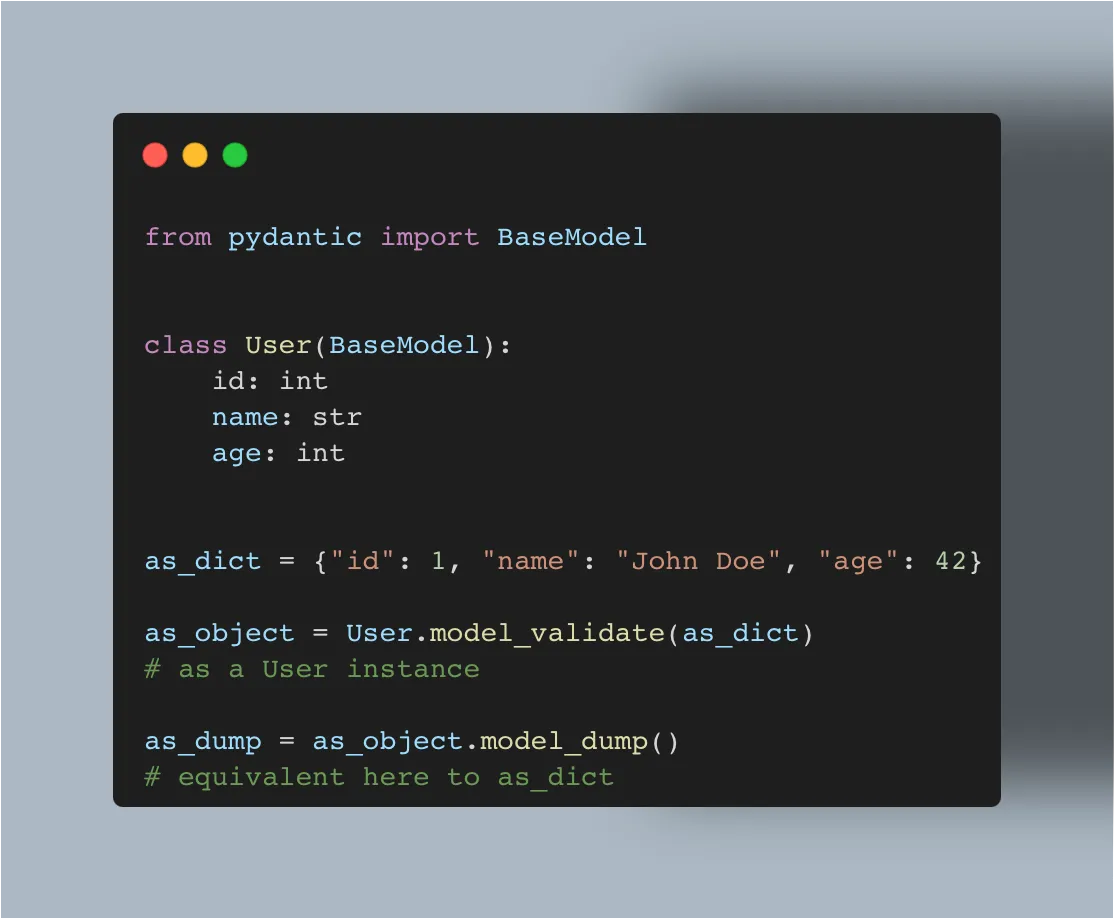
Illustration by the author. Using pydantic you can easily convert from and to a dict or a json format.
But did you know you can do more than that?
Well, you might already know that Fast API, a framework for building APIs is based on Pydantic.
Here comes the idea…
Imagine a front-end build mostly to perform CRUD actions against a database using a REST API. Why couldn’t we use pydantic not only to validate the data, but also to define the User Interface to display?
Using BaseModel model_fields class attribute
You can use the model model_fields (and model_computed_fields) to have a basic description of what you can expect in the UI by converting the model to a JSON representation that will be used by the UI part to display fields/inputfields.
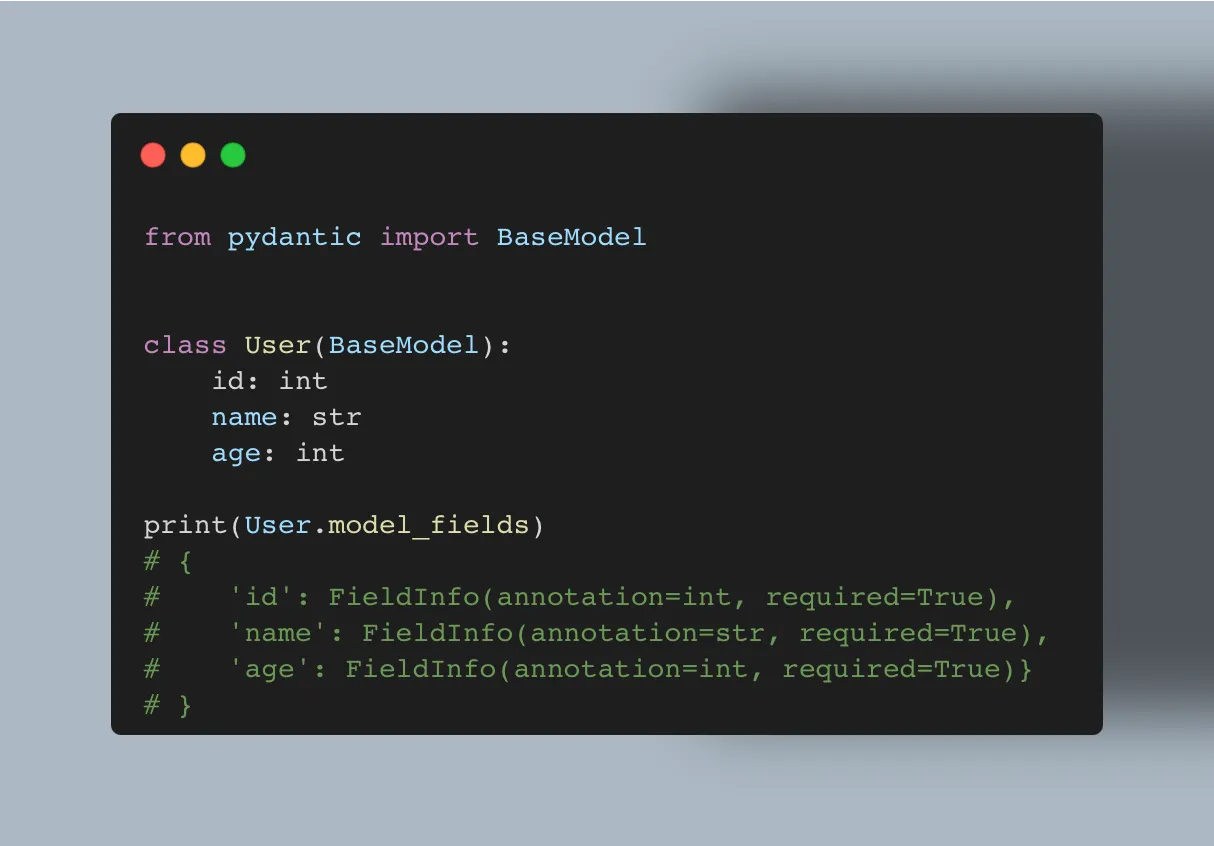
Illustration by the author. Using model_fields you can have access to the type of variable, to the default values, …
Well, this is what I did for my big side project of the moment!
Example of converting a base model to a json representation
I won’t share with you the content of the ui_fields_from_base_model function as it still needs improvement and I am still not fixed about what I will do with this side project of mine. But you can have a preview below to what it does.
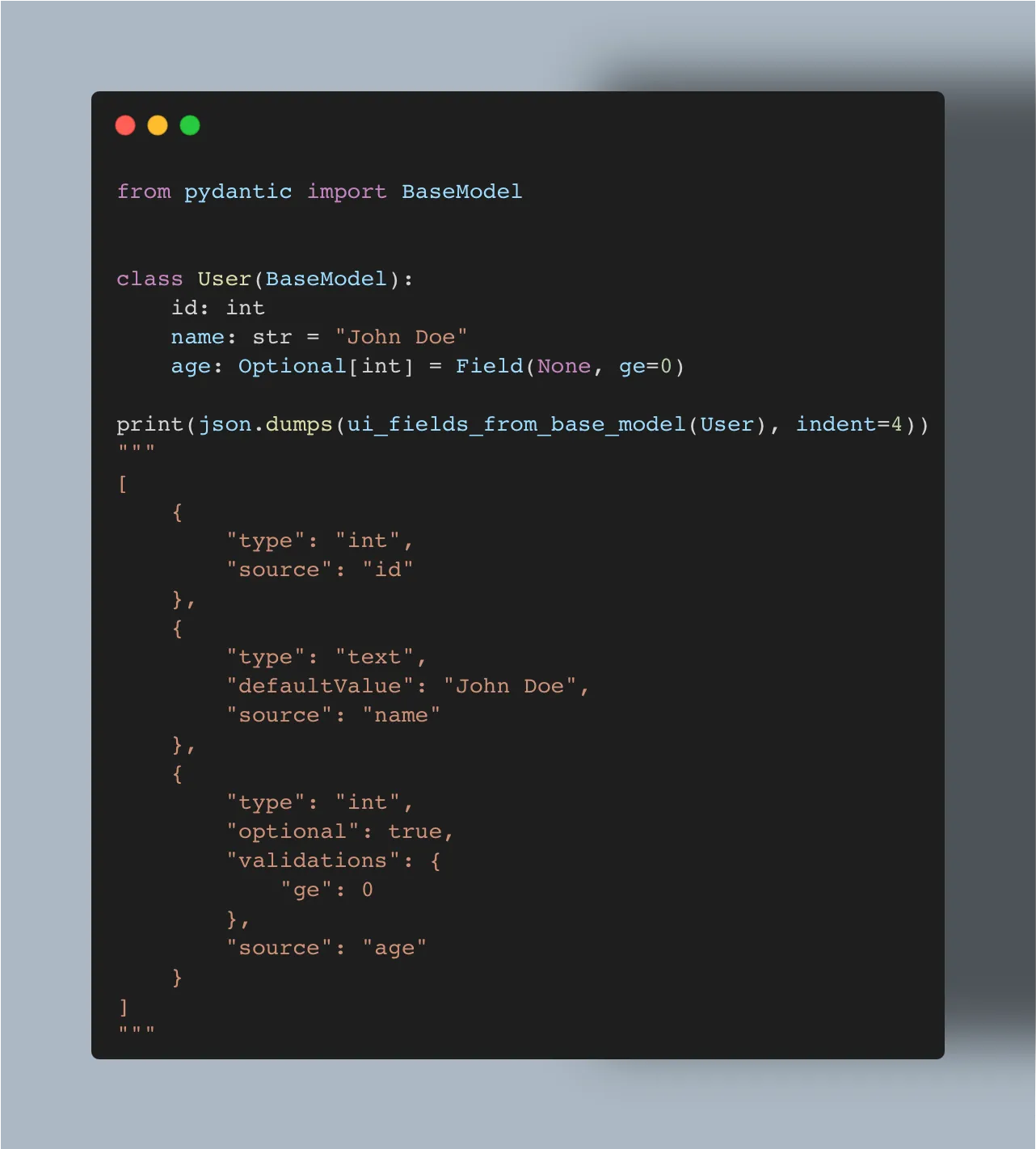
Illustration by the author.
It extracts the type of the field, the source property name, it can provides with the default value, enumeration choices, if the value is multiple (the property is a list), if it is optional (it can be None) and so on. It can even provide information about field validation (to also have a client-side validation).
As for extra element I need to pass down to the UI, I use the pydantic Field json_schema_extra parameter to provide additional data, like if the text-input is multiline, if it is full-width, readOnly, disabled, …)
The issues I encountered
Hiding some fields from display
The first issue I encountered was the need to hide some fields from the UI. I solved it by using ClassVar defined properties on model to exclude some fields.
With a “global” HIDDEN_FIELDS set and some context specific set that can be used to hide more fields according to what is currently displayed :
- HIDDEN_FIELDS_LIST, while displaying a list of objects,
- HIDDEN_FIELDS_CREATE, while displaying a new object create form,
- HIDDEN_FIELDS_SHOW, while displaying an object card,
- HIDDEN_FIELDS_EDIT, while displaying an edit form for an object.
Dumping values
This was quite the same issue than the one about hiding fields from display: we don’t want every fields to be returned by the REST API (like passwords)
I know you might be quite flustered I didn’t share my source-code with you, but this article is about giving you ideas of what can be done, not giving you directly solutions.
That’s all folks.