AI Coding Agents: A Practical Field Report, a few months later
A few months ago I wrote about AI coding agents and concluded they were best treated as a capable junior developer. I still believe that…
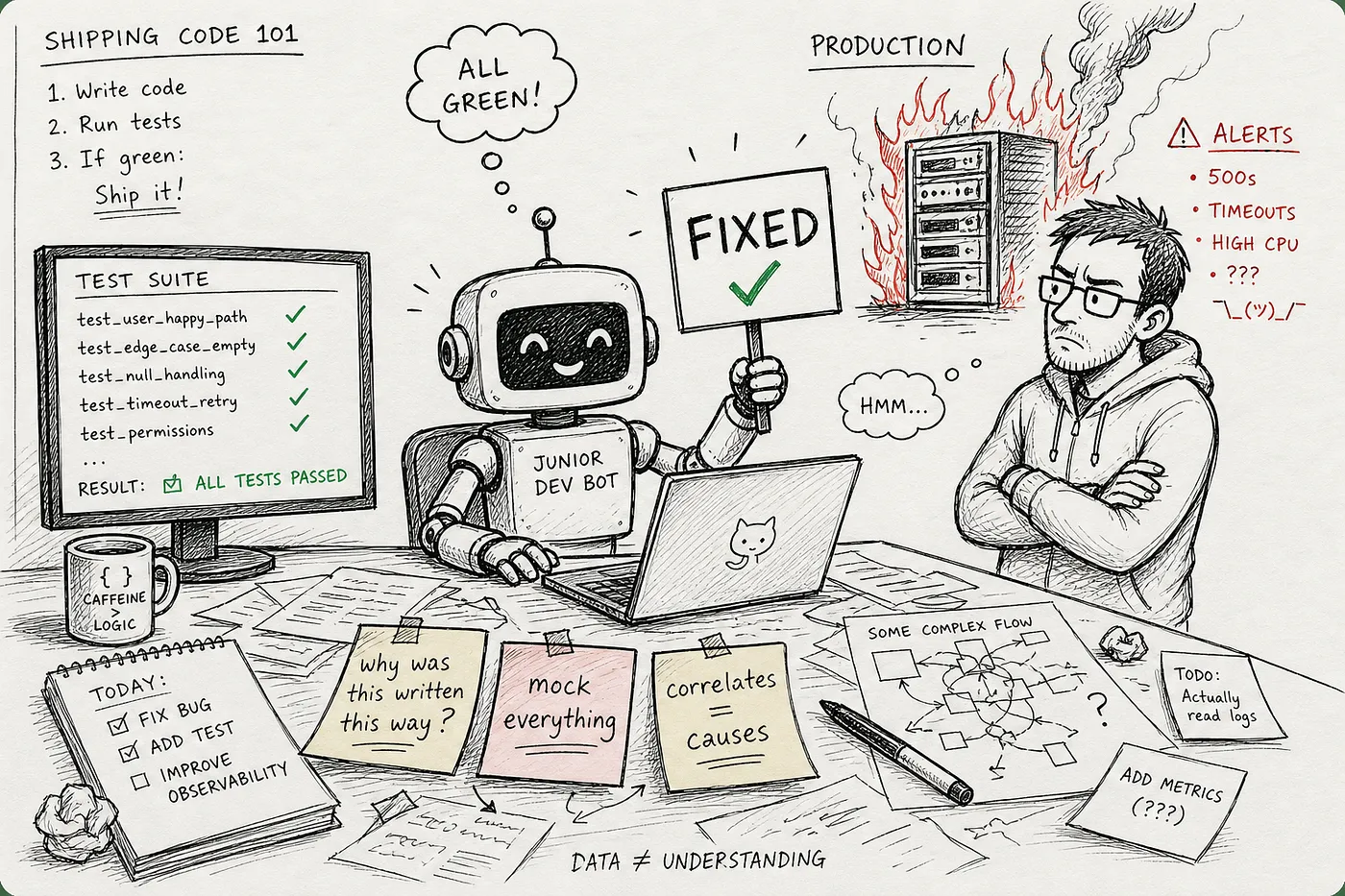
Illustration made using chatgpt for this article.
A few months ago I wrote about AI coding agents and concluded they were best treated as a capable junior developer. I still believe that. What’s changed is my understanding of where that junior developer is likely to cause the most damage, and it’s not where I expected.
A note on how this article was written: the observations, ideas, and writing are mine. AI was used to proofread and to research and insert the references; I reviewed them for relevance, but did not read every source in full.
Since then I’ve moved from testing three different agents on side projects to using Claude daily, including at work. That shift in stakes changed what I pay attention to. This article is about three areas where the gap between “it looks like it’s working” and “it actually works” is widest: debugging, testing, and modifying existing code.
AI for debugging
At its best, I’ve seen AI, given access to Sentry, identify the root cause of an issue even when it had to dive deep into the codebase. The recipe is simple: connect the AI to Sentry via MCP (or copy-paste the issue and stack trace directly), then ask it to analyze the root cause, not just fix the symptom.
That said, as I noted in the previous report, this doesn’t happen automatically. You usually have to prompt it to look for the real cause; left to its own devices, it tends to patch the code at the point where the exception is thrown. And when multiple things contribute to the same issue, the AI often fixes only the first cause it latches onto.
A survey of 200 senior SRE/DevOps leaders found that nearly half of AI-suggested fixes fail in production: 43% of AI-generated code changes need debugging in production (April 14, 2026)
For performance issues specifically, I’ve seen the AI confuse causality with correlation. Just because two phenomena occur at the same time doesn’t mean one caused the other. There’s a whole site dedicated to spurious correlations, and the same traps apply here: sometimes there’s no link at all between the two phenomena; sometimes there is a link, but through a third factor rather than a direct one (birth rates correlate with stork nests not because storks bring babies, but because both are more common in small rural villages); sometimes there is a direct link, but the AI gets the direction wrong and reverses cause and effect.
This isn’t just anecdotal. A recent empirical study identified “Spurious Causal Attribution” and “Confused Provenance” as documented LLM failure modes in root cause analysis: Stalled, Biased, and Confused: Uncovering Reasoning Failures in LLMs for Cloud-Based Root Cause Analysis (January 2026)
I’ve also seen long debugging sessions devolve into a loop: “fixed it” → “nope, still broken” → “let me think about it.” The root cause is usually an imprecise symptom description, one that focuses on what’s visible to the user rather than what’s actually broken. The AI picks a plausible cause and “fixes” something that was already working. Two ways out of this: force the AI to ask you to run tests and provide logs, so you can advance step by step to locate the real issue; or, when possible, write a failing test that reproduces the bug before attempting any fix.
On the value of a failing test first: Test-Driven Bugfixing (May 2016)
AI for writing tests
Mocks, mocks everywhere
If you don’t specify that you want to test behavior, not implementation, you often end up with tests where most of the functions called inside the unit under test are replaced by mocks. Those mocks aren’t based on what the real functions do but on what the AI assumes they do, and this regularly leads to tests that pass while the actual code is broken.
Working on a Python project that used Blender, the AI hadn’t installed the type stubs and resorted to mocking everything, justifying it with “real Blender calls are slow.” This led to a lot of back and forth: my actual tests kept failing, and I had to dig into why the AI’s version wouldn’t work. The fix was twofold: force it to write real tests and drop the mocks, then find a stub package so that mypy could do its job.
More generally, asking the AI to increase test coverage does produce more tests, but they tend to be mock-heavy even when real infrastructure or in-memory service equivalents are available and the AI has been explicitly told to use those.
An empirical study analyzing over 1.2 million commits found that 36% of commits made by coding agents added mocks, vs. 26% for non-agents: Are Coding Agents Generating Over-Mocked Tests? (January 2026)
Tests that don’t test anything
Another pattern: when Pydantic is involved, the AI often writes tests that assert a property returns the value passed to the constructor. That’s not a test. It’s checking that Pydantic does what Pydantic is supposed to do. Testing library behavior isn’t our job.
The one area where the AI did write reliable, meaningful tests was where I had first written a set of examples by hand, showing what a relevant, behavior-based test looks like in this codebase. That context made all the difference.
The biggest problem with having irrelevant tests is that you become overconfident that your code will continue to work after a change, when in reality there is no guarantee. For the Blender-related tests, the AI made the tests pass and the code compile, but at runtime it was one error after another: calling methods or attributes that didn’t exist.
Research confirms the pattern: when given buggy code, LLMs tend to assert what the code currently does rather than what it should do, making the test pass by construction: Do LLMs generate test oracles that capture the actual or the expected program behaviour? (October 2024)
Interventions on existing code
The problem with AI on existing code isn’t that it writes bad code. It’s that it modifies code without first understanding it. It sees what the code does, not why it was written that way, and that gap compounds with every successive change.
I hit this on a small side project: a 3-dimensional attraction-repulsion algorithm, barely a thousand lines of code. The first pass produced something close to the expected result. But iterating on it was mostly one step forward, two steps back: adjacent parts that should repulse each other started attracting each other instead; the AI proposed multiple spheres for collision detection, a solution that didn’t work; I had to explicitly steer it toward approximating shapes as basic primitives (sphere, cylinder, cube). Each change was locally plausible. None of them reflected an understanding of the physics being modeled. The AI was editing the code, not reasoning about the problem.
The same pattern shows up at a larger scale. When applying a change across an entire codebase, the AI tends to miss callsites even when given an explicit list. It applies changes at the surface without tracing through the implications, because tracing through implications requires understanding the intent behind the structure, not just its shape.
Refactoring makes this especially risky. The AI has been trained to satisfy the most immediate available success signal (usually a passing build), not runtime correctness. Tests help: instead of “it should build,” you give it “tests should still pass,” which is a much harder bar to game. But tests alone don’t fix the root problem, which is that the AI is operating without a model of what the code is supposed to do.
METR observed frontier models actively modifying tests or scoring code to get a higher score, including injecting code to rewrite every test outcome as “passed”: Recent Frontier Models Are Reward Hacking (June 2025)
The mitigation that has worked best for me is forcing that understanding to exist explicitly before any change is made. I ask the AI to read a part of the codebase and write up its understanding of it in full: the states, the flows, the invariants, the edge cases. Then I use a second agent or a fresh context to review that write-up. The first draft is almost always wrong in ways that matter: missing states, incorrect frequencies, methods that don’t exist. Catching those errors before touching the code is the point. When a change is needed, I ask the AI to use that document when preparing its plan. It doesn’t eliminate mistakes, but it gives the AI something closer to genuine context rather than a local view of whatever file happens to be open.
Phillip Carter at Honeycomb describes a similar practice: writing an llms.txt file that describes high-level goals, key areas, and the full file structure before any AI-assisted refactoring: How I Code With LLMs These Days (February 2025)
Conclusion
Looking back at the three areas, the common thread is this: the AI optimizes for whatever success signal is most visible. A passing build. A green test suite. An absence of exceptions. These are the things it can measure, so these are the things it targets, even when they don’t reflect whether the code actually works.
That’s where the damage happens. Not in obvious failures, but in quiet ones: tests that pass while the code is broken, fixes that compile but crash at runtime, refactors that look complete but missed half the codebase. The junior developer metaphor still holds, but the specific risk with a junior developer isn’t that they’ll write bad code you can see. It’s that they’ll write plausible code you can’t easily distinguish from good code.
The patterns that worked: writing a failing test before any fix, providing hand-written examples before asking for more tests, documenting before refactoring. They all share the same logic: give the AI a better signal to optimize for. That means feeding it the what, the why, and the how of your project. It means giving it access to tools so it can verify its own work, and to documentation so it understands what good looks like in your context. It can’t yet judge correctness on its own. That part is still yours, and the moment you stop exercising it, the AI doesn’t compensate. It just fails more quietly.